Untrained bash does something worse than fail loudly: it keeps going. A
command fails; the script doesn't care; it uses the empty result anyway; it
runs rm against the wrong thing; it finishes and prints "Done!" with a
straight face. Every horror story in this course lives in that paragraph. Today
we install the ward.
The demonstration, scripted honestly:
#!/usr/bin/env bash
# unwarded.sh — a tragedy in three lines
cd "$1"                    # say the folder doesn't exist: cd fails...
rm *.tmp                   # ...but we run it anyway. In the WRONG directory.
echo "Cleanup complete."   # and report success. Gaslight, Inc.
Run it against a folder that doesn't exist. cd fails, rm obeys its
argument list anyway, and whatever .tmp files were in the current directory
are gone. The script even says "Cleanup complete." It gaslit you. It dies with
dignity only after we ward it.
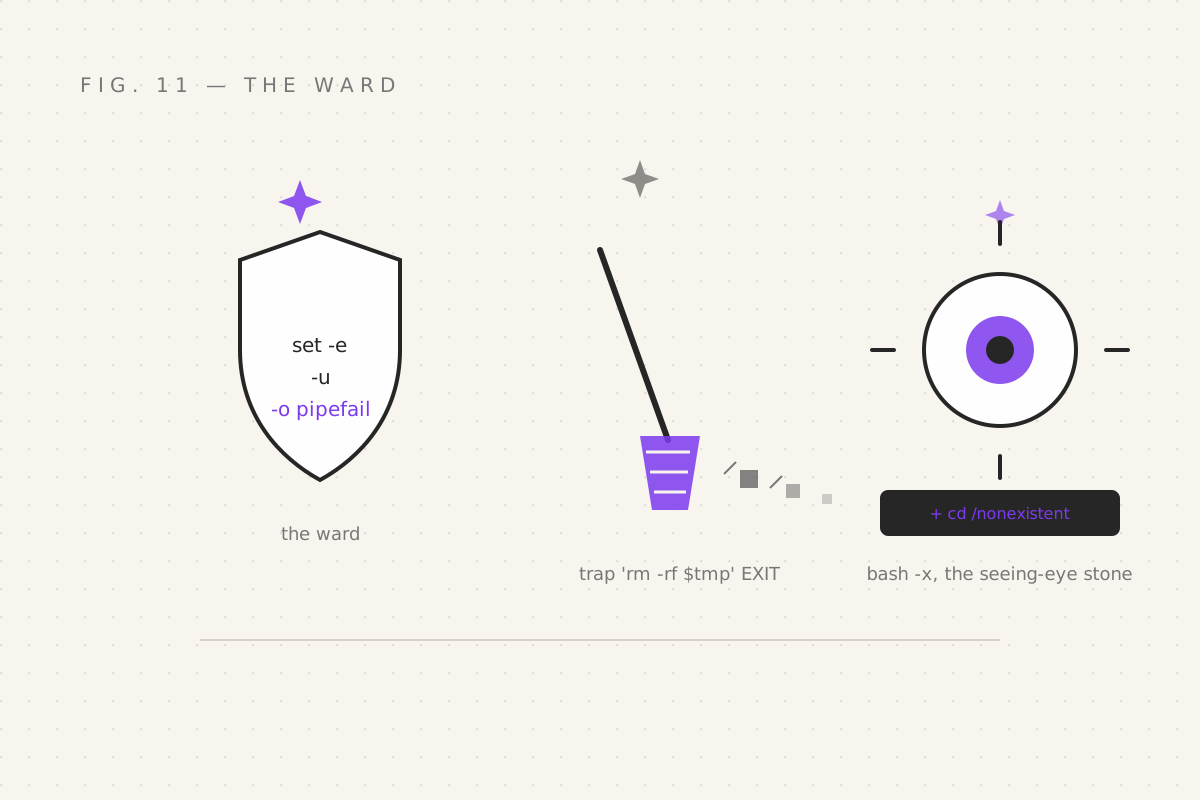
The ward: set -euo pipefail
Four letters (well, one letter and two words — bash doesn't do brevity), one line, near the top of every serious script you'll ever write:
#!/usr/bin/env bash
set -euo pipefail
Breaking it down, because each piece earns its place:
-e— exit on any error. A command fails → the script dies right there, instead of stumbling forward with a broken result. This single letter would have saved unwarded.sh:cdfails, script stops,rmnever runs. That's it. That's the whole magic.-u— error on unset variables.$NMAE(typo'd, empty) normally expands to nothing silently, and everything downstream inherits the nothing. With-u, bash points and shouts "NMAE: unbound variable" the instant you mistype. (You typed NMAE once. Everyone does. The ward knew.)-o pipefail— normally a pipeline's exit code is the last command's, sofalse | truelooks successful — a lie. pipefail makes the pipeline fail if any member fails. No more lying pipelines.
Purists argue
-ehas loopholes (commands inifconditions are exempt, which is by design — conditionals are supposed to probe and fail). Fine. The ward is not perfection; it's a guard dog. It catches the enormous majority of "it kept going anyway" disasters, which is the failure mode that actually ends careers.
trap: the cleanup magic
Scripts acquire loose ends: temp files, background jobs, mounted things,
changed directories. trap runs a spell automatically when the script exits —
normally or interrupted:
#!/usr/bin/env bash
set -euo pipefail

tmpdir=$(mktemp -d)             # a fresh temp dir, guaranteed unique
trap 'rm -rf "$tmpdir"' EXIT    # on ANY exit: clean up. No orphans. Ever.

echo "Working in $tmpdir..."
# ...do messy things, fail anywhere you like...
Fail at line 10, Ctrl+C at line 50, finish normally — either way, the temp dir
gets removed. trap … EXIT is the difference between a script that tidies up
after itself and one that leaves a trail of temp-directories across your disk
like a snail with storage issues.
You can also trap signals — the Ctrl+C you've been pressing since part 01
is the INT signal, and a script can politely intercept it:
trap 'echo "The ritual cannot be interrupted. (It can. Twice, if needed.)"' INT(Signals, the full menagerie, get their own chapter next.)
The seeing-eye stone: bash -x
When a script misbehaves, the question is always the same: what did bash actually run? The stone shows you:
bash -x script.shEvery line of the script prints with a + prefix, after variables are
expanded — you see the spell as executed, not as written:
$ bash -x unwarded.sh /nonexistent
+ cd /nonexistent
script.sh: line 3: cd: /nonexistent: No such file or directory
There it is. The lie exposed: cd failed, and in the unwarded version, line 4
would have run anyway. Half of all script debugging is: run with -x, read
the trace, notice that $1 was empty or the path was wrong. The other half is
adding echos — which you'll now need half as often.
Two refinements:
bash -x script.sh 2> trace.log    # traces go to stderr (part 05!) — save them for the post-mortem
set -x                            # or flip x-ray vision on/off INSIDE the script:
# ...suspicious section under investigation...
set +x                            # ...and back off. x-ray for the suspicious region only.
The unwarded/warded rewrite
The tragedy from the top, now with the ward:
#!/usr/bin/env bash
set -euo pipefail

dir="${1:?Usage: cleanup.sh <dir>}"    # ${1:?msg}: fail LOUDLY if the arg is missing
cd "$dir"
rm -- *.tmp
echo "Cleanup complete. (For real. We checked.)"
${1:?message} is a lovely ward-trick: if $1 is unset, the script dies
immediately with your message — no silent empty-string plague. The -- after
rm is a small professional habit: it ends option parsing, so a file literally
named -rf.txt (someone has tried) can't be mistaken for a flag.
Your quest
- Write a script with a deliberate failure in the middle; watch it stumble through with "Done!" at the end. Gasp. Add the ward. Rerun. Feel justice.
- Add
set -uand try to use$NMAE. Read the error. Let it sting. - Build the temp-dir script with
trap … EXIT; interrupt it with Ctrl+C and confirm the cleanup ran anyway - Debug any script you've written so far with
bash -xand find one assumption that was wrong. There's always one.
Next: part 12 — Jobs & Signals, where spells learn to run in the background, pause mid-flight, and be told to stop — politely, then less politely.
Filed under Wizardy of Bash — part 11 of 15 · Previous: Text Alchemy · Next: Jobs & Signals