Every part of this course had a quiet promise hidden in it: someday, this will matter somewhere colder. That somewhere is a server in a datacentre — no desktop, no file manager, no trash can, no undo button, and no second chances. It runs on bash and on the honesty of whoever connects to it. Today you learn the roads out of your machine, because the wider realm is where shell skill stops being a party trick and becomes a career.
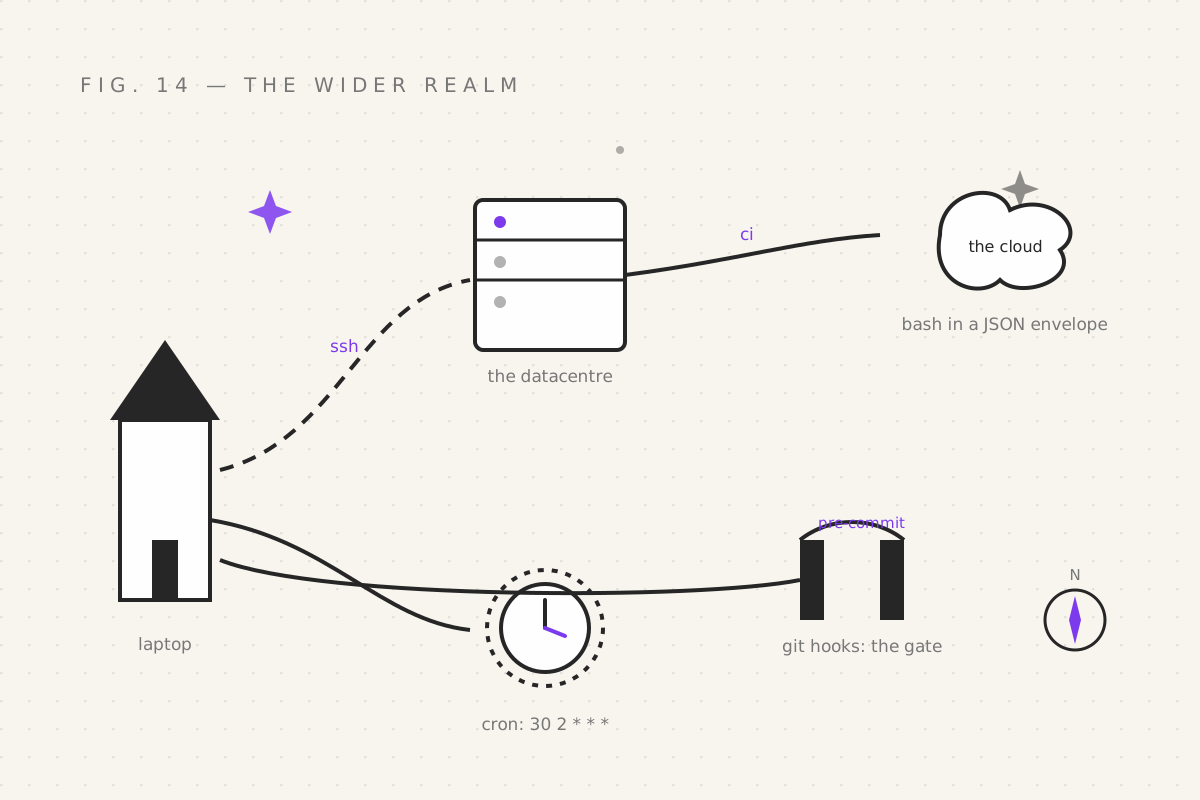
ssh: the road between machines
SSH (Secure SHell) is a shell session on a different computer, through an encrypted tunnel. The syntax is a destination and (usually) nothing else:
ssh nirmit@server.example.com
# nirmit@server's password: ********
You're on the server. It's bash. It's part 03's spellbook, part 04's
hunters, part 05's pipes — everything you know works, on a machine you're
barely touching. When you're done, exit (or Ctrl+D, part 02's knowledge,
now load-bearing).
Password auth is training wheels. The professional setup is keys:
ssh-keygen -t ed25519                                # one-time: forge a keypair (~/.ssh/)
ssh-copy-id nirmit@server.example.com                # install the public half on the server
ssh nirmit@server.example.com                        # now: instant, passwordless, encrypted
And the quality-of-life file, ~/.ssh/config:
Host prod
  HostName server.example.com
  User nirmit
  IdentityFile ~/.ssh/id_ed25519
After which ssh prod is the whole spell. Four lines of config, minus one
tab each day for the rest of your career.
Then the real magic — run a command without logging in:
ssh prod 'df -h'                        # disk space on prod, from your couch
ssh prod 'tail -n 20 /var/log/app.log'  # read remote logs without leaving home
ssh prod 'grep -c ERROR /var/log/app.log'   # remote grep! part 04, paydirt
A command goes over, output comes back. That's not "remote access" — that's
remote spellcasting, and combined with part 05's pipes it scales all the
way up to ssh prod 'grep ERROR app.log' | grep -c timeout, filtering remote
chaos through local judgement.
cron: the spell that casts itself
cron is the daemon that runs commands on a schedule, forever, whether you're awake or not. Edit your schedule with:
crontab -eEach line: five time fields, then a command.
# ┌───────── minute (0-59)
# │ ┌─────── hour (0-23)
# │ │ ┌───── day of month (1-31)
# │ │ │ ┌─── month (1-12)
# │ │ │ │ ┌─ day of week (0-7, both 0 and 7 = Sunday)
* * * * * command-to-run
Concrete rows, because everyone memorises by example:
30 2 * * *     /home/nirmit/bin/backup.sh          # 02:30 every day: the backup runs. You sleep.
0 9 * * 1      ~/bin/weekly-report.sh              # Mondays at 09:00
*/15 * * * *   ~/bin/healthcheck.sh >> ~/health.log 2>&1   # every 15 minutes, log it
0 0 1 * *      ~/bin/cleanup-tmp.sh                # midnight, first of the month
Two hard-earned rules:
- Cron's PATH is minimal and its shell is
sh. If your job runsnode,pythonor anything custom, use absolute paths (/usr/local/bin/node) orsourceyour environment in a wrapper script. "Works in my terminal, dies in cron" is a rite of passage, and this is why. - Redirect output. Cron mails results to a mailbox nobody checks (part
05's irony: it is checking). End every line with
>> log 2>&1so failures leave evidence.
Part 09's backup.sh — the one you built with arguments, a shebang, and the
ward — is now scheduled immortality: 30 2 * * *, every night, whether or
not you remember. Scripts you can't be bothered to run become scripts that
can't be bothered to ask you.
git hooks: casts on every commit
Git — you know it, you gti it (alias's honour) — runs hidden scripts at
moments of its lifecycle. They live in .git/hooks/, and the two that
matter:
# .git/hooks/pre-commit — runs BEFORE each commit is accepted
#!/usr/bin/env bash
set -euo pipefail
files=$(git diff --cached --name-only --diff-filter=ACM | grep '\.sh#x27; || true)
[[ -z "$files" ]] && exit 0
for f in $files; do
  bash -n "$f"        # syntax check: catch the broken script BEFORE it's enshrined
done
echo "✓ shell scripts pass the gate"
chmod +x it (part 09's knighting), and from now on no commit can sneak a
syntactically broken shell script past the gate. That's not tooling — that's
automated gatekeeping, powered by git diff, a for loop, and exit codes. Every part of this course, holding a door.
(Yes, git hooks live in .git/ and don't get committed by default — the
fix is a hooksPath config or a framework; see the huge "pre-commit
framework" ecosystem. The hook above is the concept; the ecosystem is the
productization.)
CI: the widest realm
CI pipelines (GitHub Actions, GitLab CI, etc.) are — plot twist — bash scripts with a JSON envelope. When the little robot runs your "build", it is running a shell:
# .github/workflows/ci.yml (excerpt)
jobs:
  test:
    runs-on: ubuntu-latest
    steps:
      - uses: actions/checkout@v4
      - run: |
          set -euo pipefail                 # ← the ward, part 11. In the cloud now.
          bash -n scripts/*.sh              # syntax-gate every script (part 11's seeing-eye stone)
          ./scripts/test.sh                 # your script. Their servers. Same bash.
Everything you've learned is the actual skill underneath: exit codes decide
pass/fail, set -euo pipefail keeps the pipeline honest, pipes and grep sift
the logs. The YAML is packaging. When a CI job fails and everyone stares at
the red X, the person who reads the log line, finds the failing command, and
knows why it exited non-zero is the person who read part 05. That's you.
The realm's gates open for exactly this.
Your quest
- SSH into any machine you own (a VPS, a Raspberry Pi, even
localhost via WSL) and run
uname -a,df -h - Set up a key with
ssh-copy-id; feel the passwordless future - Schedule a real cron job: a script that appends a timestamp to a file
every minute (
* * * * *— with>> log 2>&1). Watchtail -ffor two minutes. Divination, automated. Then remove it (crontab -e). - Install the pre-commit hook in a real repo. Try to commit a broken script. Watch the gate slam.
Next: part 15 — The Quest Board, the finale: six capstone projects that weld every part of this course into things you'll actually keep using.
Filed under Wizardy of Bash — part 14 of 15 · Previous: The Custom Grimoire · Next: The Quest Board