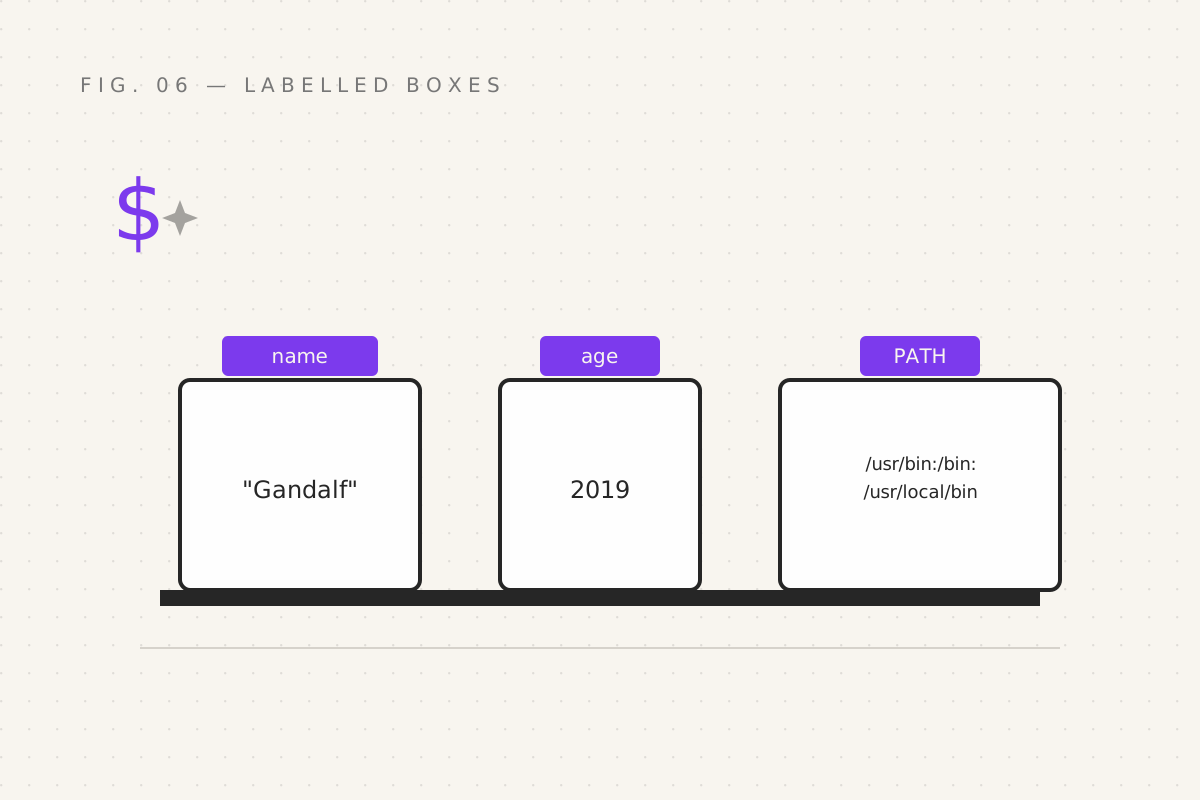
So far every spell has been a one-off: cast, forget. Today the shell learns to remember. A variable is a labelled box. You put a value in, write the label on the outside, and from then on, invoking the label summons the value. That's it. That's the whole concept. The fights start with the quoting.
Your first boxes
name="Gandalf"
age=2019
echo "The wizard's name is $name"
echo "$name is $age years old"    # (he stopped counting; we rounded)
Three commandments, learned the hard way by every beginner:
- No spaces around the
=.name = "Gandalf"is not an assignment; bash thinks you're trying to run a command callednamewith weird arguments. The shell is 50 years old and will not be updating its syntax. $namereads the box;namewrites it. No dollar on the left, dollar on the right. One rule, inverted constantly since 1979.- Quote your variables. Always. The next section is why.
The quoting wars
Single quotes and double quotes look interchangeable. They are not:
echo "Hello, $name"     # double: the variable is UNBOXED → Hello, Gandalf
echo 'Hello, $name'     # single: everything literal → Hello, $name
Double quotes expand variables; single quotes print them dead. Now the bug that eats beginners:
greeting="hello    with    spaces"
echo $greeting            # → hello with spaces    (bash squashed it!)
echo "$greeting"          # → hello    with    spaces  (preserved)
Unquoted, bash splits your value on whitespace and hands echo several arguments; echo, being polite, joins them with single spaces. Filenames with spaces — "My Documents", "Vacation Photos", basically everything humans name things — die exactly here:
cp $file backup/     # if $file is "dragon feed.xlsx", bash copies "dragon" and "feed.xlsx" separately
cp "$file" backup/   # works. Always works.
Rule: "$var" in double quotes, everywhere, forever. Deviate only when you
can explain precisely why.
Command substitution: a box built from a spell
You can capture a command's output into a variable with $( ):
today=$(date +%Y-%m-%d)
backup="backup-$today.tar.gz"
echo "$backup"          # → backup-2026-09-29.tar.gz

count=$(grep -c "error" app.log)
echo "Found $count errors. All logged. None fixed."
$( ) runs the spell, catches what it says to stdout, and hands you the
string. Scripts are built out of this move. (You'll also see backticks
`date` doing the same job in old scripts — an older syntax that can't
nest. Read them; write $( ).)
Special runes the shell fills for you
Some boxes are pre-labelled:
| Rune | Holds |
|---|---|
$1, $2, $3… |
arguments passed to your script (part 09's whole plot) |
$# |
how many arguments arrived |
$? |
last command's exit code (part 05) |
$ |
the script's own process ID |
$HOME, $USER, $PWD |
home directory, your name, current location |
Environment variables and the great scroll of PATH
Variables come in two flavours. Local ones (what we made above) live and die
inside the current shell. Environment variables are inherited by every
command you launch — the shell's DNA. See them all with env. Promote a
variable with export:
export EDITOR="vim"    # now every program you launch knows your favourite editor
                       # (and must be told, at length, that other editors exist)
And then there is PATH — the most important box in the room:
echo $PATH
# /usr/local/bin:/usr/bin:/bin:/usr/local/sbin:...
When you type grep, bash does not know where grep lives. It walks PATH
left to right, knocking on each directory: "grep here? grep here?" First hit
runs. That's the entire trick behind installing command-line tools — drop the
executable in a directory listed in PATH and it's a spell you can cast from
anywhere. (If bash answers "command not found", the tool either isn't
installed or isn't on the scroll. Ninety percent of "it works on my machine"
is this one box.)
Peek at any spell's full address with which:
which grep
# /usr/bin/grep
Your quest
- Make
heroandquestvariables; echo a sentence using both, quoted - Prove the space bug: assign a value with runs of spaces; echo it unquoted and quoted
- Build
stamp=$(date +%H%M)and name a file with it -
echo $PATH, thenwhich bash,which node,which python— locate your residents - Try
name = "Gandalf"and read the error like a scholar. Now you know that error forever.
Next: part 07 — Forks in the Road, where
scripts stop reciting and start deciding: if, test, [[ ]], and the
gloriously readable case.
Filed under Wizardy of Bash — part 06 of 15 · Previous: Pipes & Plumbing · Next: Forks in the Road