So far, every spell you've cast has held the stage: it runs, you wait, you get your prompt back. But the shell is secretly a juggler — every command is a process, processes can be suspended, backgrounded, foregrounded, and signalled. This is the chapter where your terminal stops being a queue and becomes a workshop.
The ampersand: cast it and walk away
End a command with & and the shell hands it to the background — it runs
while you keep working:
sleep 300 &            # a spell that does nothing for five minutes. Career-relevant.
# [1] 4821
That output: job number 1, process ID 4821. Your prompt returns immediately while the spell grinds away. See the roster anytime:
jobs
# [1]+  Running                 sleep 300 &
Ctrl-Z and the suspend dance
The move that changes how you use the terminal. You're deep in vim (or less
or man — anything full-screen) and need the shell right now. Ctrl+Z:
^Z
[1]+  Stopped                 vim grimoire.md
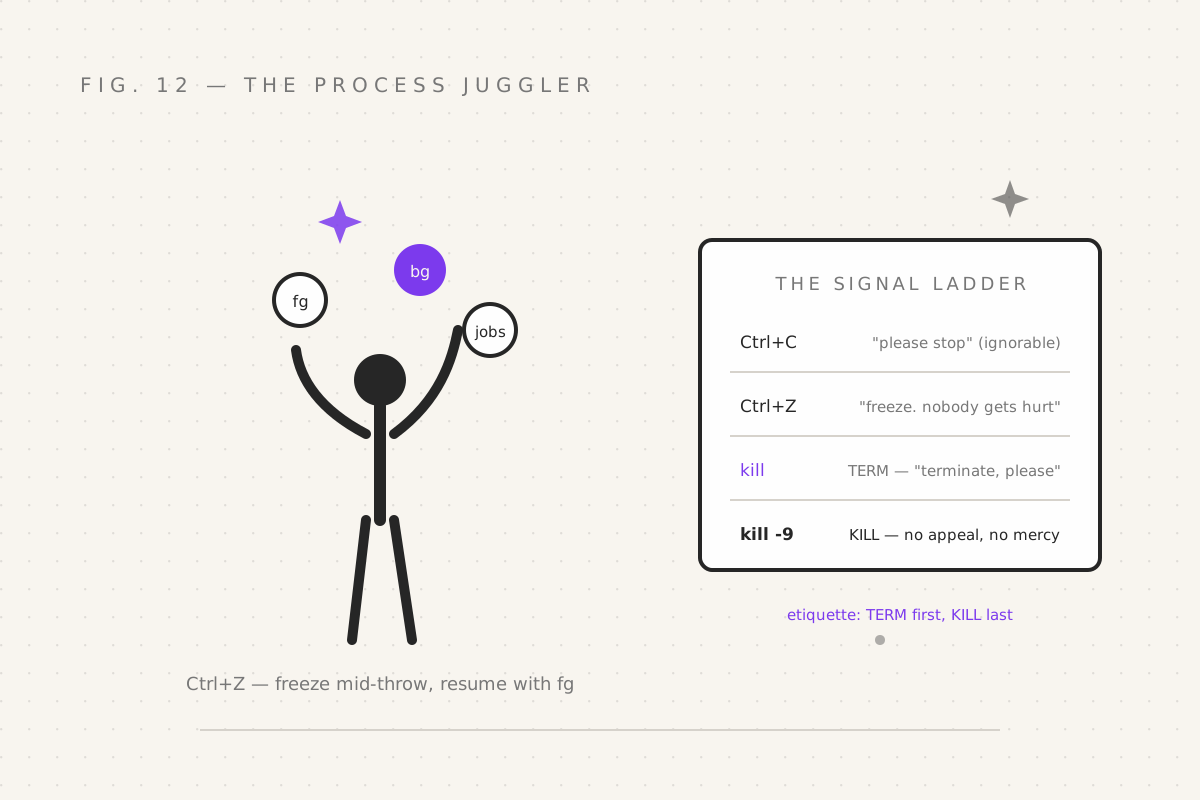
The process is frozen mid-thought — not killed, paused, like a photo of a juggler between throws. Then:
fg          # bring the most recent job back to the foreground — resume where you froze it
bg          # send a stopped job to the background, running
jobs        # the roster, always
The full dance you'll do daily: Ctrl+Z → do a thing → fg → back to work.
No new window, no re-opening files, no finding your place. The wizard's
alt-tab.
Kill a background job through the roster (nicer than PID hunting):
kill %1 # job 1, as named by jobsSignals: the escalating negotiation
Here's the truth under all of it: Ctrl+C was never magic. It's just your keyboard sending a signal — the operating system's inter-process mail system. Every process lives by signal rules:
| Signal | Trigger | Meaning |
|---|---|---|
INT (2) |
Ctrl+C | "Please stop." Polite. Ignorable (you've seen Ctrl+C-proof programs). |
TSTP (20) |
Ctrl+Z | "Freeze. Nobody gets hurt." |
TERM (15) |
kill default |
"Terminate, please." The professional's choice. Cleanup is allowed. |
KILL (9) |
kill -9 |
"DIE." Cannot be caught, blocked, or appealed. |
kill sends them by name or number:
kill 4821          # TERM: "please terminate" — always try this first
kill -TERM 4821    # same thing, spelled out
kill -9 4821       # KILL: the last resort. No cleanup, no goodbye, no mercy.
The etiquette, and it's real etiquette: TERM first, KILL last. TERM lets a program flush buffers, close files, remove lockfiles — all the "orphaned process" horror stories begin with someone reaching for
-9first and leaving lockfiles and half-written data in their wake. -9 is the sword under the glass. It exists so you have it.
Find PIDs without scrolling history:
pgrep -l node          # find PIDs by name (list with names)
pkill -f build.sh      # signal every process matching a pattern. Crowd control.
pkill is glorious and dangerous — it signals everything matching. Check
with pgrep first, always. Measure twice, signal once.
nice: manners for CPU hogs
When a heavy spell must run now but shouldn't stomp everyone else:
nice -n 10 ./crunch_data.sh        # lower priority (nicer to others; the name IS the doc)
renice -n 5 -p 4821                # re-nice a running process
Nice values run from -20 (greedy) to 19 (saintly). Default 0. A nice-19 backup job yields the CPU to anything that wants it — the considerate house guest of process scheduling.
nohup: the spell that outlives its summoner
Dark secret, revealed: background jobs are still children of your terminal session. Close the terminal — or lose an SSH connection — and they die with it. All that grinding, gone, because your laptop went to sleep.
The counter-spell is nohup ("no hangup" — a name from an era when hanging
up a modem was a leading cause of death for long jobs):
nohup ./long_ritual.sh > ritual.log 2>&1 &Now the process ignores the hangup signal and keeps grinding after you log
off, writing its output to ritual.log (the > … 2>&1 from part 05,
closing both streams into the log). Check progress from anywhere:
tail -f ritual.log(Cron — the true "run things forever without a terminal" — arrives in part 14. nohup is the "run this once, survive this session" tool.)
Your quest
-
sleep 300 &, thenjobs. Thenkill %1. You've managed your first minion. - Open
vim(yes, really), Ctrl+Z, run three commands,fg. Feel the dance click. -
yes > /dev/null &(a process that screams forever into a void),nice -n 19 yes > /dev/null &— compare them intop, thenpkill yesbefore your fan takes flight - Start
nohup sleep 600, close the terminal entirely, reopen, and confirm it's still alive withpgrep sleep. Your first immortal spell.
Next: part 13 — The Custom Grimoire, where
we edit .bashrc and make all of today's favourite spells permanent —
aliases, functions, and a prompt that tells you things before you ask.
Filed under Wizardy of Bash — part 12 of 15 · Previous: Defensive Wizardry · Next: The Custom Grimoire